Vocal Remover

Split Any Track in 3 Simple Steps
Upload Your Track
Drag and drop your audio file or click to upload. Supports MP3, WAV, and FLAC. You can also select a track from your SunoPrompt Library if you have one saved.
Choose Standard or Pro Mode
If you only need to quickly extract vocals, accompaniment, or main tracks, you can choose Advanced mode, which separates up to 5 stems; if you need more detailed instrument-by-instrument separation and MIDI export, you can choose Pro mode, which separates up to 8 stems.
Split and Download Your Stems
Hit Split. The AI processes your track and delivers each stem as a separate file. Preview the results on the platform, download the ones you need, and drop them into your DAW, remix, or project.
Standard Mode: Fast, Clean, and Sufficiently Useful Track Separation
Need a clean vocal track or a karaoke instrumental? Normal mode splits your audio into up to 5 separate stems: vocals, drums, bass, and grouped instruments. It is fast, accurate, and costs just 5 credits. Upload your MP3, WAV, or FLAC, hit Split, and get your stems in seconds. Good enough for most remixes, covers, and content creation workflows.
Pro Mode: 8 Stems Plus MIDI Export
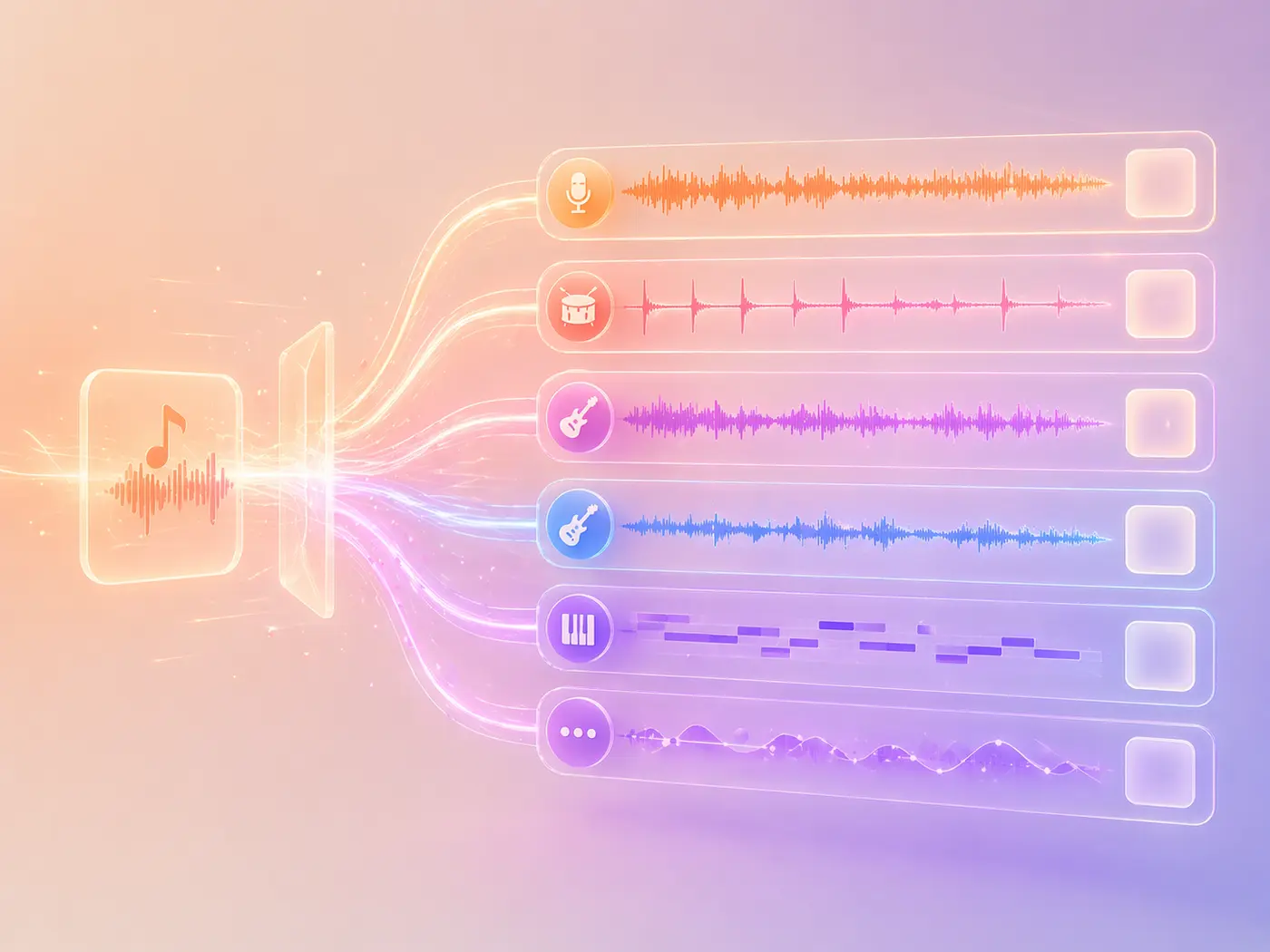
When 5 stems are not enough, Pro mode breaks your track into up to 8 individual parts. Vocals, drums, bass, electric guitar, acoustic guitar, keys, synths, strings, and more, each on its own track. On top of that, you get MIDI files for the melodic stems. Import them into Ableton, Logic, FL Studio, or any DAW and edit at the note level.

Why Creators Pick Our AI Vocal Remover
What makes our AI vocal remover and stem splitter the choice for producers, DJs, and creators who need real per-instrument control.
Up to 8 Stems Per Track
Pro mode supports up to 8 independent stems, including vocals, drums, bass, guitar, keyboard, and synthesizer. Compared to many paid tools, this instrument-by-instrument separation capability is more suitable for professional creative scenarios.
MIDI Export That No One Else Offers
Pro mode not only separates audio but also exports MIDI files for melodic stems. After importing into a DAW, you can re-arrange, change sounds, transpose, or rewrite structures at the note level. This is a capability that most online tools lack.
MP3, WAV, and FLAC Support
Upload MP3, WAV, or FLAC. The AI will output clean, isolated stems while trying to preserve the sound quality as much as possible, suitable for subsequent editing, mixing, or content use.
Fast Processing, No Waiting
Standard mode processes quickly, outputting 5 clean stems efficiently. Upload, separate, and download are seamless. For most mixing, cover song, and content creation tasks, it's already efficient enough.
Connected to the Full SunoPrompt Toolkit
The Vocal Remover connects to everything else in SunoPrompt. Generate a track with the Music Generator, split it into stems here, export the MIDI, and build on top of it. One platform, full loop.
Credit-Based Pricing, No Subscription Lock
Both Advanced and Pro modes consume points. No mandatory monthly subscription is required; pay as you use for more flexible costs.
Part of a Bigger Music Workflow
Vocal Remover Meets a Full AI Music Toolkit
The Vocal Remover is one piece of SunoPrompt's music creation ecosystem. Generate tracks, split them into stems, export MIDI, and build your next project without leaving the platform.
AI Vocal Remover & Stem Splitter
Upload any song and separate it into independent stems. Advanced mode is suitable for quick 5-track separation, and Pro mode supports 8-track plus MIDI export. Compatible with MP3, WAV, and FLAC.
AI Music Generator
Need a new track instead of splitting an existing one? The AI Music Generator creates full songs from text descriptions or lyrics using our full range of AI music quality tiers. Generate, then split the stems right here.
Prompt Generator & Music Agent
Use the Prompt Generator to craft detailed input for the Music Generator. Or use the Music Agent to create tracks from images, videos, and audio files. Everything connects.

Explore More
Who Uses the AI Vocal Remover
For Music Producers
Extract individual stems from any reference track. Isolate the drum pattern, bass line, or vocal melody and use them as building blocks for your own productions.
Pro mode can output MIDI. After importing directly into a DAW, you can replace guitar riffs with your own synthesizer sounds or transpose the entire melody to a new key.
Split your own rough mixes to check how each element sits independently. Use the isolated stems for quality control before finalizing a master.
What is AI Vocal Removal and Stem Splitting?
AI vocal removal separates a finished song into its individual parts: vocals, drums, bass, guitars, and more. Upload a track, and the AI pulls each element apart so you can use them independently.
How AI Separates Vocals from Instruments
AI vocal removal uses machine learning to separate a mixed audio track into individual components. The AI has been trained on massive datasets of isolated instruments and vocals, so it can identify and extract each element from a finished mix. The result is clean, isolated stems you can use independently.
From Karaoke Tracks to Full Production Stems
Typical vocal separation tools usually only output two tracks: vocals and accompaniment. SunoPrompt goes beyond that. Advanced mode supports 5-track separation, and Pro mode supports up to 8 tracks, covering more independent categories such as vocals, drums, bass, guitar, keyboard, and synthesizer, and can also export MIDI. It's not just a karaoke accompaniment extraction tool, but closer to a stem separation tool used in professional production scenarios.
MIDI Export: Edit Any Part in Your DAW
Pro mode doesn't just separate audio; it also generates MIDI files for melodic stems. This means you can extract the guitar melody from a song, import it into a DAW, and then re-perform or re-arrange it using your own sound sources. It makes track separation more than just "extraction," directly entering the re-creation and production phase.
More Than Just Removing Vocals
DJs use it to create acapellas and instrumentals. Producers use it to sample individual parts. Music teachers use it to isolate specific instruments for students to practice along with. Podcasters use it to remove background music from interviews. The use cases go well beyond simple vocal removal.
What Sets Our Vocal Remover Apart
Most online vocal separation tools can only separate 2 to 5 stems at most, while SunoPrompt's Pro mode can output up to 8 independent stems, covering more major instrument categories. Compared to LALAL.AI and many free tools that can only separate vocals and accompaniment, this instrument-by-instrument separation is more suitable for creators who need fine control.
Pro mode supports MIDI export, which is uncommon in most online stem splitter tools. Getting audio stems is already very useful, but simultaneously getting MIDI means you can re-arrange, replace instruments, transpose, or mix at the note level in your DAW. Such a vocal separation tool truly has production-level value.